Teachers’ Assistant
Learn with clear explanations, pictures, and moving diagrams. Ask questions when you need help.
 Developer preview
Ask your AI assistant to create a practice session.
Learn a topic or get ready for an interview.
Uses your Resso account and plan.
Learn how plants make food.
Explore a topic with Matteo.
Practice an interview.
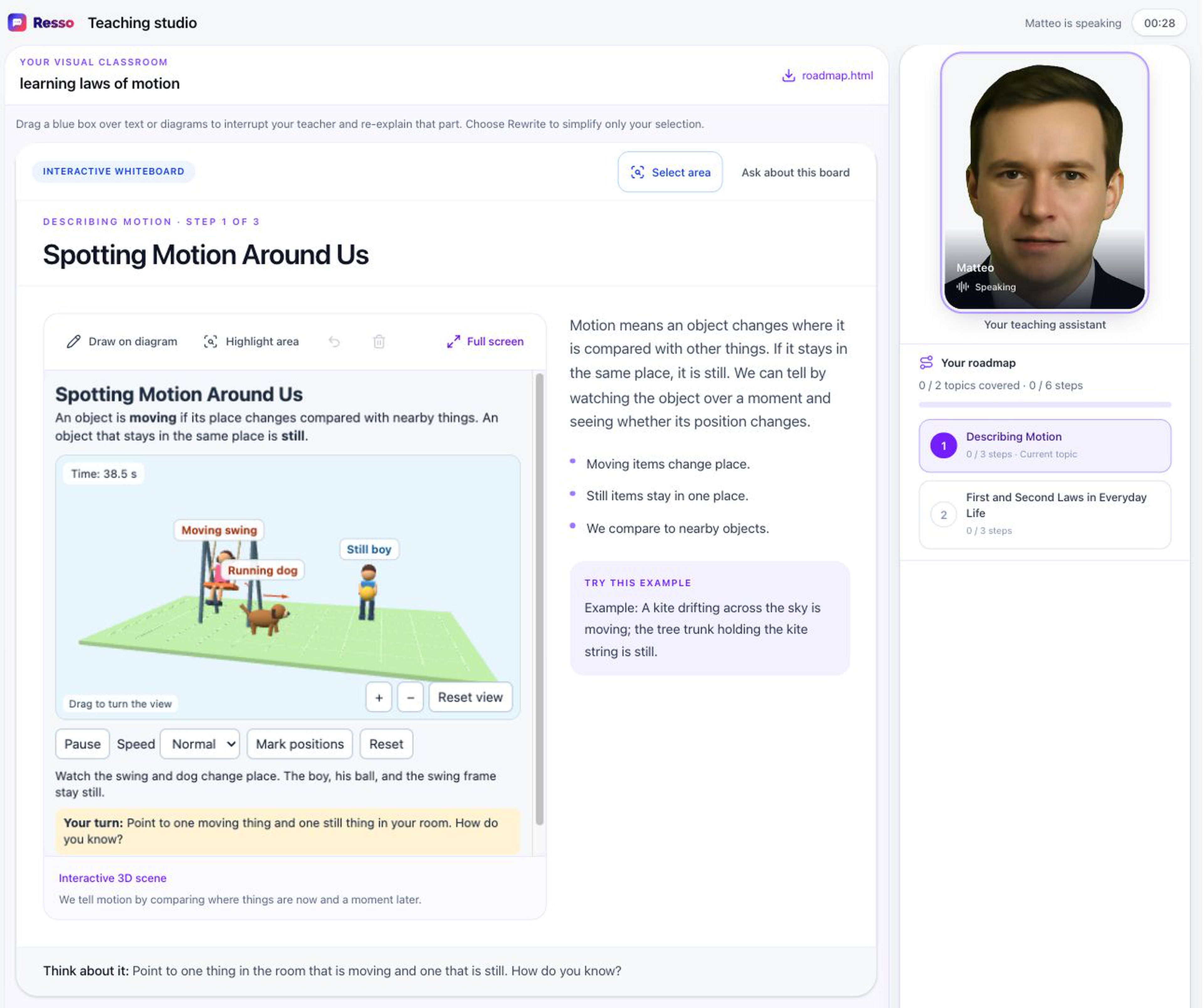
Learn with Matteo.
Watch the dog and swing move. Learn with Matteo.
 Demo participant
Practice an interview with Matteo.
Real Resso interview · fictional participant image.
Learn with clear explanations, pictures, and moving diagrams. Ask questions when you need help.
Get ready for a job interview. Practice answering questions and explaining your ideas.
You can also practice sales calls, presentations, discussions, languages, book reports, assignments, and oral assessments, or get tutoring.
Get scores and tips to improve — in real time.
See what you did well and how to give a stronger answer.
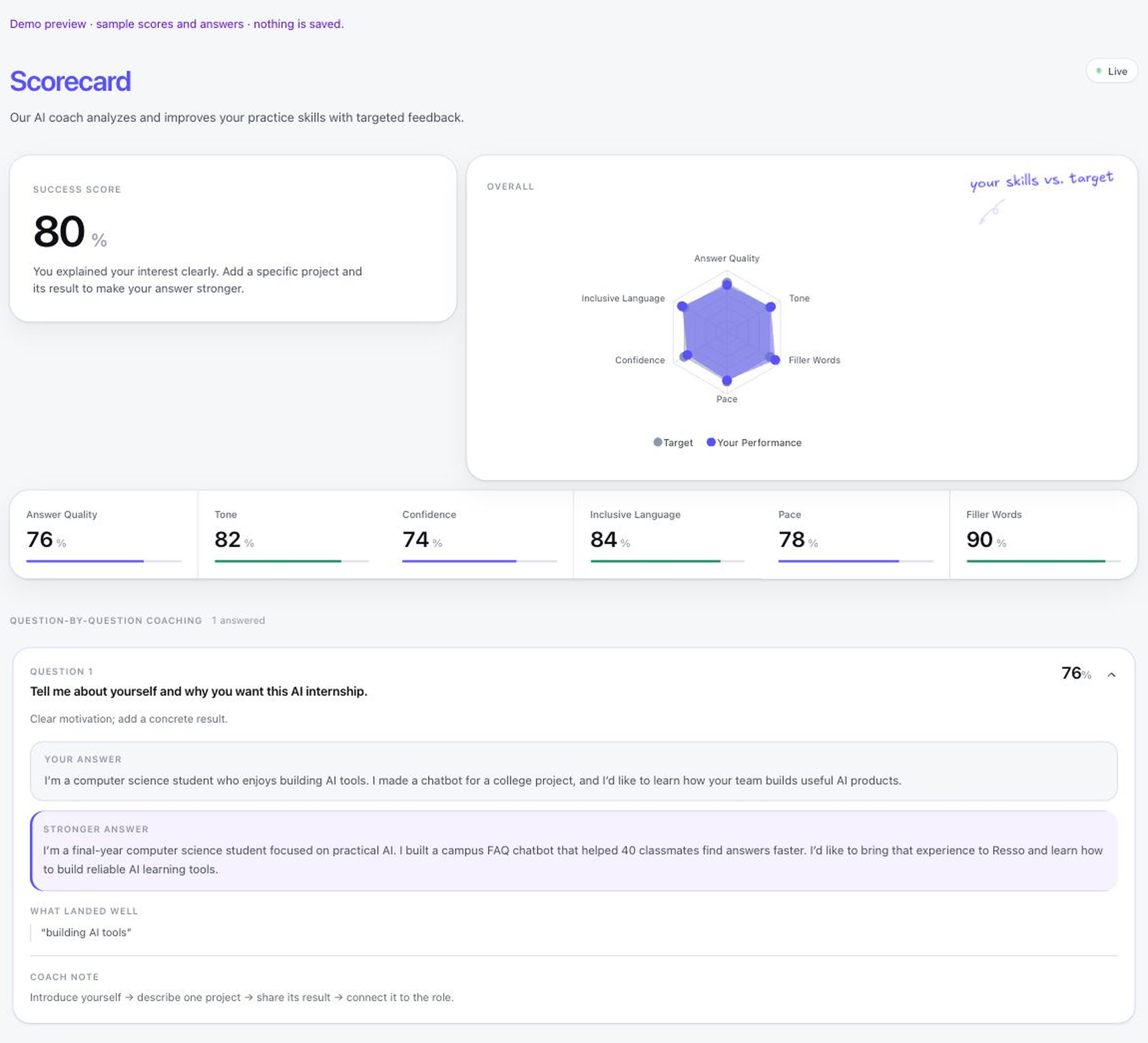
Improve as you practice.
Illustrative scores and answers · demo preview
Turn an idea into a practice session.
Open it in Resso and start practicing.
Ask ChatGPT, Claude, or Microsoft Copilot to help you practice with Resso.
Connect your AI →Public sign-in is still in development. The local demo uses test data and saves nothing to Resso.
These two MCP tools create and read scenarios. Live teaching and interviews run in Resso. Video generation and HTML lesson generation are not MCP tools yet.
Our internal Architecture MCP has 10 tools for inspecting the code, components, diagrams, flows, and dependencies. It is separate from the scenario MCP.
Choose your app. Connect Resso. Start practicing.
Sign in, then add Resso in your AI app and approve access.
Sign-in on this page opens Resso. Your AI app will ask you to approve the connection separately.
Type “Resso” as the name. Copy the link below and paste it into the URL box.
Follow the instructions on screen. In a new chat, type @ and choose Resso. Ask: “Help me practice an interview.”
Type “Resso” as the name. Copy the link below and paste it into the URL box.
Follow the instructions on screen. In a new chat, click + → Connectors and turn on Resso. Ask: “Help me practice an interview.”
Your admin sets up the Resso agent for your workplace.
Ask: “Help me practice an interview.”
Microsoft 365 work accounts · admin setup required · coming soon.
Open Perplexity connection page ↗ If you don’t see Plugins, open Customize → Connectors.
Select Remote. Name it Resso and paste the link below.
Click Add, then open Resso to sign in.
https://mcp.resso.ai/mcpMCP connections are awaiting activation. Signing in to Resso alone does not connect your AI app.
Gemini · Grok · Meta AI · Amazon Q · Le Chat
Resso connections for these apps have not been verified yet.Save a topic and questions as a practice session. Your Resso plan and access rules apply.
create_scenarioLet your assistant read a scenario you have access to.
get_scenarioSign in and allow access. Resso checks what your account can do.
Never paste your password into a chat.These tools create and read scenarios. They do not make videos or HTML lessons.
Yes. You need a Resso account with an active organization and a plan that allows scenario creation.
Add the URL in your AI app’s MCP or connector settings. Pasting it into chat will not connect it.
Your AI app must support online MCP servers and sign-in. We still need to test each app.
No. It uses test data. Real scenarios will need the public sign-in setup.